
Join the assigned event
Use the photographer invitation or role-specific code shared by the event host. This keeps your work connected to the correct gallery from the start.
For event photographers
Taggz gives photographers a direct route into the event their host has prepared. Join the event, upload the selected photos, organize the gallery when folders are used, and support a clearer delivery journey for attendees.
Taggz is designed around the relationship between the event host, photographer, and attendee. It does not replace your creative process. It gives the event team a common place to prepare access, receive photo uploads, and guide people to the photos available to them.
Use the photographer invitation or role-specific code shared by the event host. This keeps your work connected to the correct gallery from the start.
Select the photos you want to deliver and add them to the event. The upload view keeps the destination and selected files together before you continue.
Use event folders to group photo sets when the host has arranged the gallery that way. The shared workspace gives the host and photo team one delivery path.
When an event uses photo matching, attendees who complete face enrollment can see photos matched to them as event processing completes.
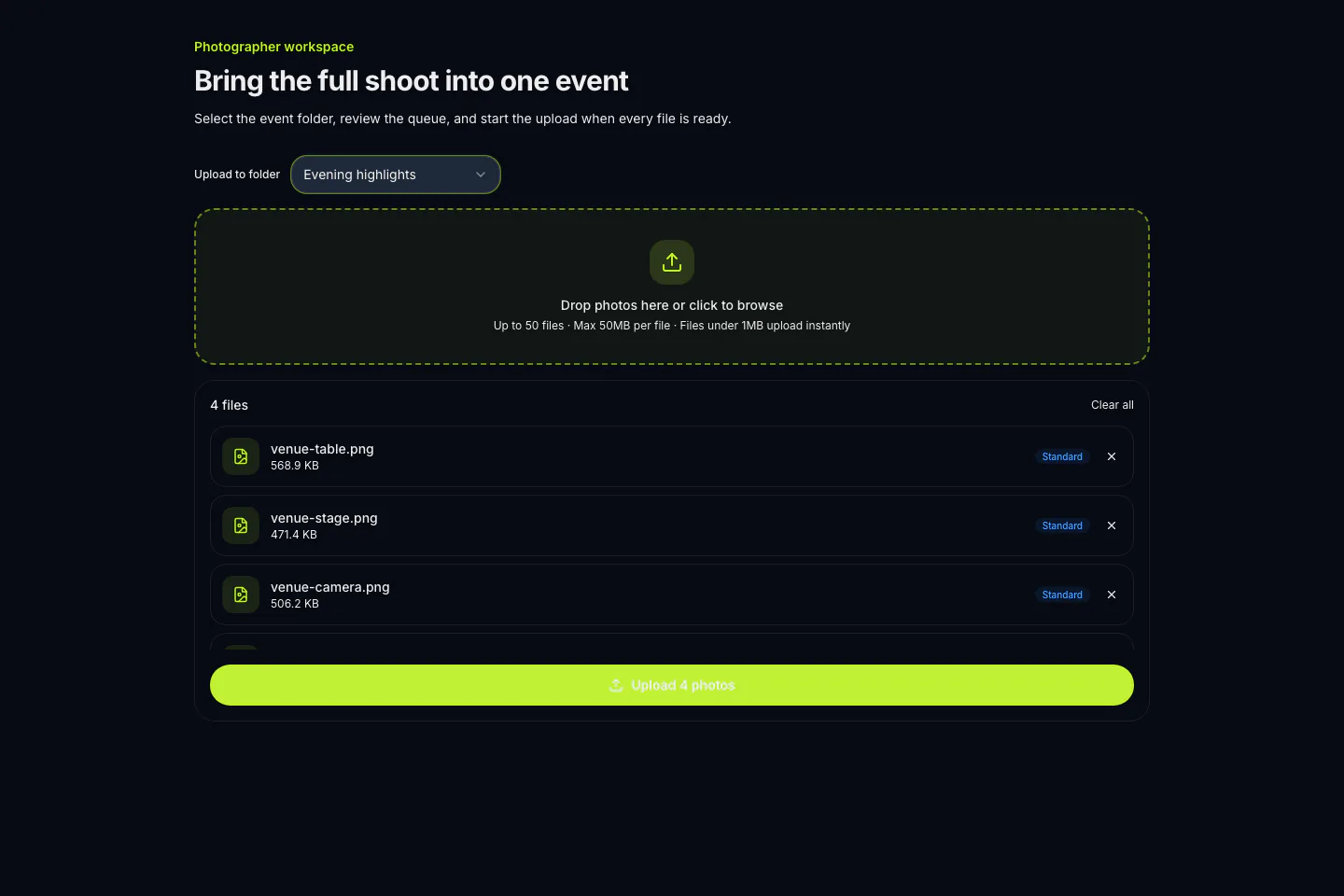
The event upload flow is intentionally direct: you work inside the event the host assigned, choose the destination folder when one is available, and keep the selected files visible before the upload begins. That context helps reduce the usual back-and-forth between photo teams and event organizers.
The event host remains responsible for event access and the gallery experience. Viewing, unlocking, and downloading depend on the settings chosen for that event, so attendees see the access path the host has configured.
An attendee can join an event using the link, QR code, or event code shared by the host. If that event uses photo matching, the attendee completes face enrollment before Taggz looks for them in uploaded event photos. The result is a personal gallery experience that sits alongside the host's access controls, not a public claim about every photo or every event.
Taggz uses the event as the context for every handoff. That means photographers contribute to a host-created event rather than to a public, unstructured collection. The host decides who is invited, prepares the gallery settings, and communicates the access path. Photographers focus on joining the correct event, selecting the files to deliver, and placing uploads in the folder structure available to them.
The attendee experience remains separate from the photo-team workspace. Guests join using the event link, QR code, or event code. Their available viewing, unlock, and download options come from the event settings. If the event uses photo matching, face enrollment is part of that attendee journey. This makes the roles easier to explain before the event and easier to follow once photos are uploaded.
Ask the host for the photographer invitation or code for that event. If you are planning the event yourself, start with the host workflow to create the event and choose its access settings.
Plan an event as a host